
Short version
CompanyCam is the best-known job site photo app, and it is very good at customer-facing photos: galleries, timelines, before and after, shareable pages. In 2026 it costs about $63–$199 a month on annual billing, plus extra users (our CompanyCam pricing guide).
Whether you need it depends on what the photos are for:
- Marketing and homeowners: CompanyCam is hard to beat.
- Evidence for a GC, owner or claim: you want photos stamped and tied to the daily report.
- Part of running the whole job: a project platform already includes photos.
We make Daily Site Log, one of the options below. Prices are sourced, and we say where others are better.
CompanyCam alternatives at a glance (2026)
| Tool | Price model | Typical 2026 price | Photos are best for |
|---|---|---|---|
| CompanyCam | Plan + extra users | ~$63–$199/mo annual + ~$29/extra user | Customer galleries, marketing, timelines |
| Daily Site Log | Flat per company | $0 · $19/mo · $79/mo (5 seats) | Evidence inside daily reports |
| Fieldwire | Per user | Free (5 users) · ~$39/user/mo annual | Pinned to drawings, punch lists |
| Raken | Per user, by quote | Reported ~$15–$59/user/mo | Daily reports with time and production |
| Contractor Foreman | Tiered by user count | $49–$332/mo annual | Budget all-in-one |
| JobTread / Buildertrend | Base + users / flat plan | ~$199/mo+ / ~$339/mo+ | Inside a full residential platform |
The alternatives in detail
1. Daily Site Log: photos as evidence in the daily report
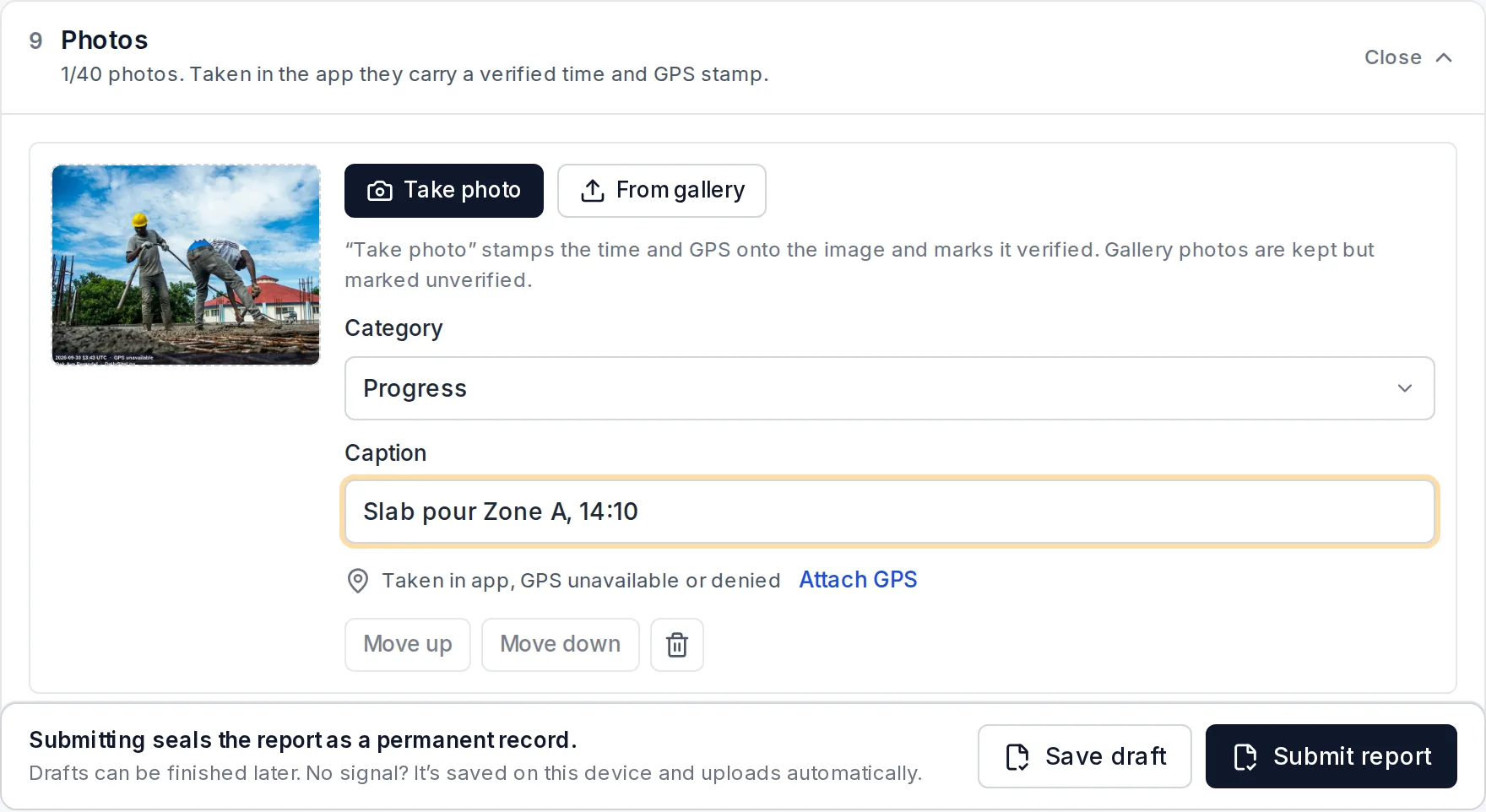
Our product. Photos taken in the app are stamped with the time, GPS location and project, attached to that day's report, and the report is sealed when submitted, so a GC, owner or quantity surveyor can verify nothing was changed. The supervisor talks through the day and the rest of the report fills itself in. Free for one project (5 photos per report), $19 a month for Pro (up to 40 per report), $79 a month for Business with five seats, priced per company.
Choose it if photos need to prove what happened and when. Skip it if you want marketing galleries and customer timelines; CompanyCam does those better.
2. Fieldwire: photos pinned to the drawings
Photos attach to tasks and pins on the plan, which is ideal for punch lists and showing exactly where an issue is. The free Basic plan covers up to 5 users and 3 projects. Fieldwire pricing guide.
Choose it if your work runs off drawings. Skip it if you don't use plans in the field.
3. Raken: photos with daily reports, time cards and production
Raken's daily report includes photos, alongside time cards and production tracking on higher tiers. Per user, annual, by quote. Raken pricing guide.
Choose it if you self-perform and need time and production with the photos.
4. Contractor Foreman: photos in a low-cost all-in-one
Photos sit alongside estimates, schedules, daily logs and invoicing for $49–$332 a month depending on team size. Contractor Foreman pricing guide.
Choose it if you want one cheap system for everything.
5. JobTread or Buildertrend: photos inside a residential platform
If you already run jobs in JobTread (pricing) or Buildertrend (pricing), their built-in photo features plus the client portal may make a separate photo app unnecessary.
Choose it if you would use the whole platform.
6. Your phone camera and a shared folder
Free, and fine for personal reference. The weaknesses: no project context, photos get mixed up, and the metadata can be stripped when shared. That makes them weak evidence if a dispute comes up.
How to choose
- Who looks at the photos? Homeowners point to CompanyCam; GCs, owners and claims point to stamped photos in a daily report.
- How many people take photos? Per-user pricing (CompanyCam extra users, Fieldwire, Raken) grows with the crew; flat pricing doesn't.
- Do you already pay for a platform with photos built in? Use it before adding another app.
Prices change. Figures are third-party reports and vendor pages as of October 2026, sourced in each linked pricing guide.
Sources
- Our CompanyCam pricing guide (sources inside)
- ERP Research — Fieldwire pricing 2026
- Workyard — Raken review and pricing
- RevcorePro — Contractor Foreman pricing
- Stackvett — JobTread review 2026
Frequently asked questions
Is there a free alternative to CompanyCam?
Fieldwire's Basic plan is free for up to 5 users and 3 projects, with photos pinned to drawings. Daily Site Log is free for one project with up to 5 photos per report. A shared phone album is free too, but loses time, location and project context.
What is the cheapest CompanyCam alternative for a small crew?
For photos as part of the daily record, Daily Site Log at $19 a month for Pro with up to 40 photos per report, priced per company. For photos plus estimating and invoicing, Contractor Foreman from $49 a month.
Why use CompanyCam at all?
It is excellent at customer-facing photo work: before-and-after galleries, project timelines, shareable pages and marketing. If that is your main use, it is worth paying for.
Do photos from a normal phone camera hold up as evidence?
Weaker than in-app photos. Phone photos can be edited and their metadata stripped when shared. Photos taken inside a reporting app and stamped with time, GPS and project, then attached to a sealed daily report, are much harder to dispute.
How much does CompanyCam cost in 2026?
Core is about $79 a month ($63 billed annually), Crew about $149 ($119), Scale about $249 ($199), plus about $29–$34 per extra user. See our CompanyCam pricing guide for the details.