
Short version
The site diary is the contractor's contemporaneous record. In a dispute over delay, disruption or a variation, a diary written on the day carries far more weight than a memory reconstructed months later. Paper diaries get lost, are illegible, and cannot prove when a page was written.
A site diary app fixes that: entries are dated automatically, photos carry a verified time and place, and the record can be sealed so it cannot be quietly changed. Daily Site Log does this; we make it, and other apps are compared with sources below.
What goes in each day's entry
- Weather for the site and date (filled automatically on Pro and Business)
- Labour by trade or subcontractor, headcount and hours
- Plant used, hours and standing time
- Work completed by area or activity
- Deliveries, including late, short or damaged materials
- Instructions received, especially verbal ones: who, when, what
- Visitors and inspections, and the outcome
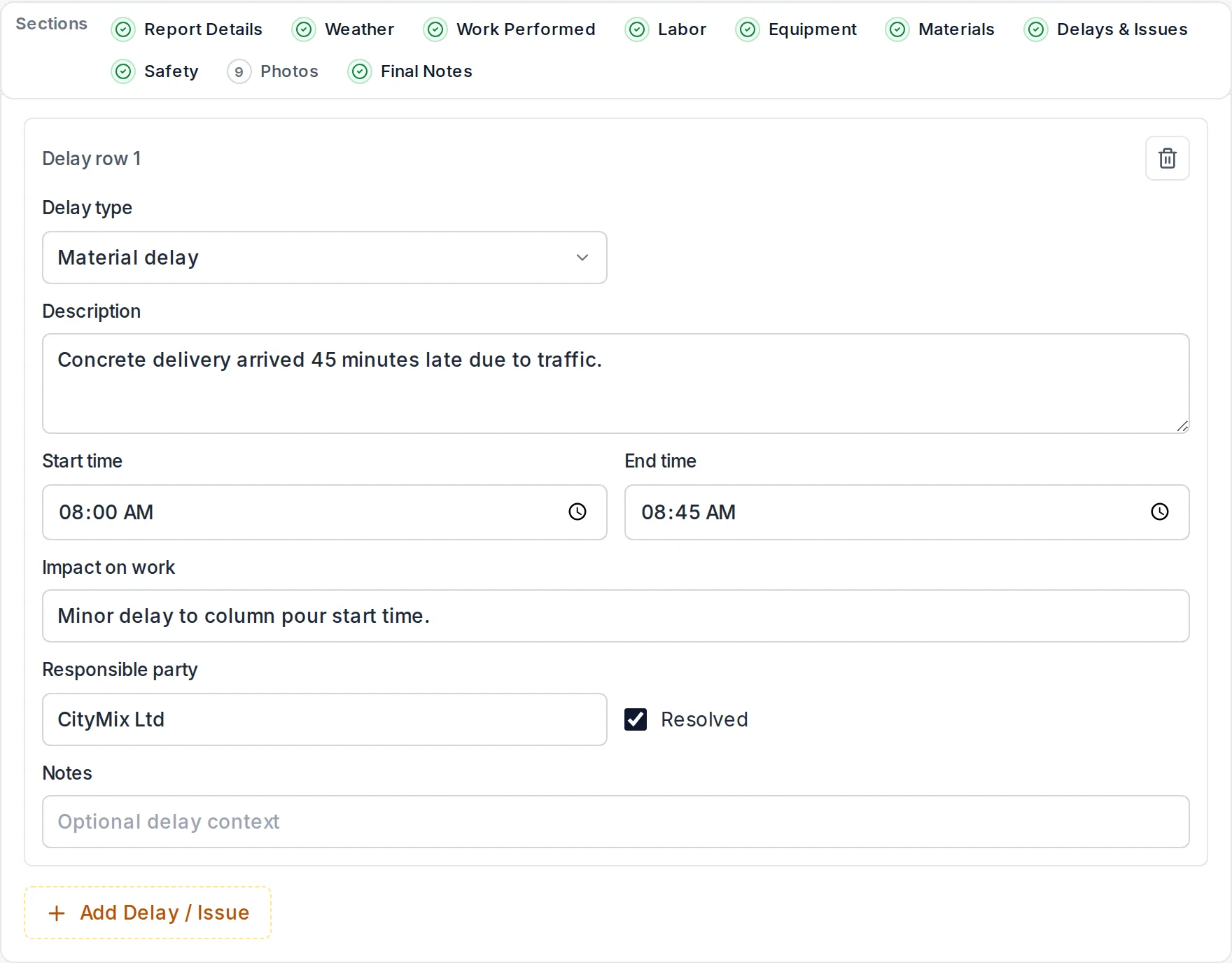
- Delays and disruption: cause, start and end time, who was responsible, impact
- Safety: toolbox talks, incidents, near misses
- Photos, taken in the app so they are stamped
The full checklist is in our construction site diary guide.
Keeping it from a phone
- Open today's entry for the site.
- Talk for a minute; AI sorts what you said into the sections. Check it.
- Take photos in the app: time, GPS and a SHA-256 hash are burned into each one.
- Submit. The entry is sealed with a fingerprint printed on the PDF; anyone can check it at dailysitelog.com/verify.
Site diary apps compared
| App | Price model | From | Best for |
|---|---|---|---|
| Daily Site Log | Flat per company | $0 · $19/mo · $79/mo | Small contractors; evidence-grade diary entries |
| Raken | Per user, annual | Reported ~$15–$59/user/mo | Diary plus time cards and production |
| Fieldwire | Per user | Free (no reports) · ~$39/user/mo | Drawings and tasks |
| SafetyCulture | Per seat | Free (10 seats) · $24/seat/mo | Inspections; diary as a template |
| Procore | Annual, by volume | Typically $4,500+/yr | Large contractors on one platform |
Prices are in USD as published or reported in 2026; see best construction daily report apps for sources.
Make the diary count
- Write it every day, including days when nothing went wrong.
- Record instructions word for word and who gave them.
- Put clock times on delays, not "morning" or "a while".
- Send it the same day to the client or main contractor, so there is a dated record of notice.
Start your site diary free, no card needed.
Sources
Frequently asked questions
What should a construction site diary include?
Date, weather, labour by trade with hours, plant, work completed, materials delivered, instructions received (especially verbal ones), visitors and inspections, delays with times and cause, safety events and photos. See our construction site diary guide for a full list.
Is a digital site diary acceptable as evidence?
A contemporaneous record is valued because it was made at the time. A digital diary is stronger than paper when it shows when each entry and photo was made and that it was not altered afterwards, which is what time-stamped photos and a sealed record provide. Your contract may set specific record-keeping requirements; check them.
Is a site diary the same as a daily report?
The content is the same. 'Site diary' is the usual term in the UK, Ireland, Australia and New Zealand; 'daily report' or 'daily log' is more common in North America.
Does the app work without signal?
Yes. Entries and photos save on the phone and upload when the connection returns.
Can I record verbal instructions?
Yes. Note who gave the instruction, when, and what it was in the day's entry; it is then sealed with the rest of the record and dated.